Alchemy 8.1
Stateful publish button, element publication timestamps and a colorful new ingredient
We're excited to announce the release of AlchemyCMS 8.1! This release brings a redesigned publish button, new Color and multi-select ingredients, performance improvements to the admin page tree, and compatibility with Ruby 4.0 and Rails 8.1.
What's New in 8.1
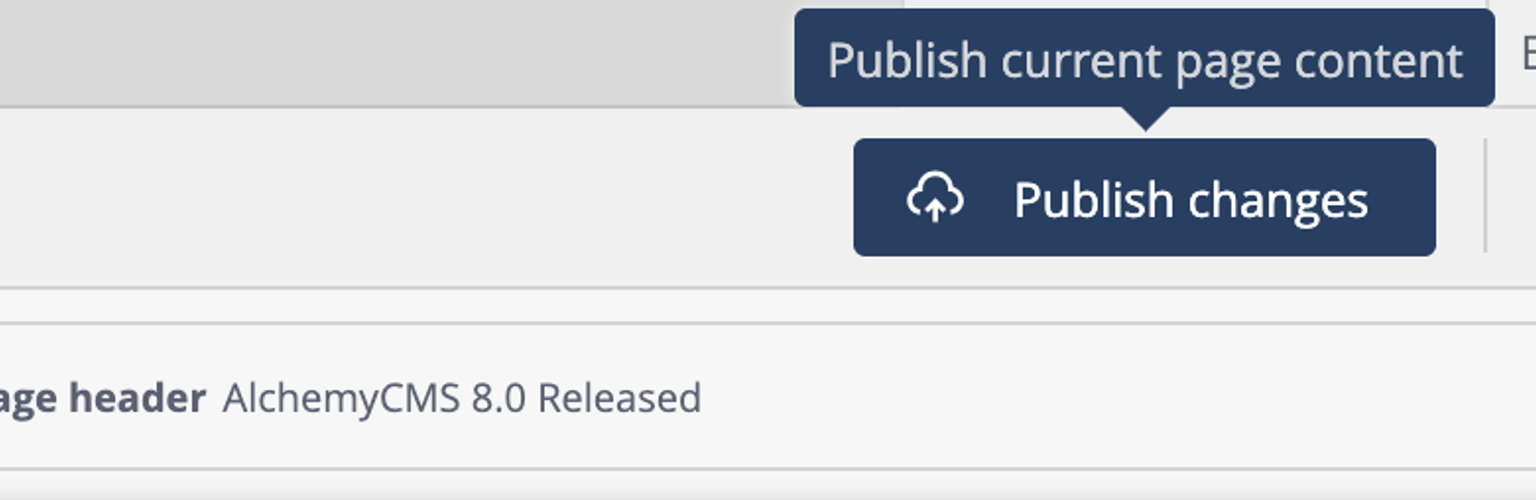
New Publish Button with Version Status
The publish workflow got a visual upgrade. The new publish button clearly shows the current version status, making it immediately obvious whether you're looking at a draft or published content. This improvement streamlines the editorial workflow and reduces confusion about what's live and what's still a work in progress.
New Color Ingredient Type
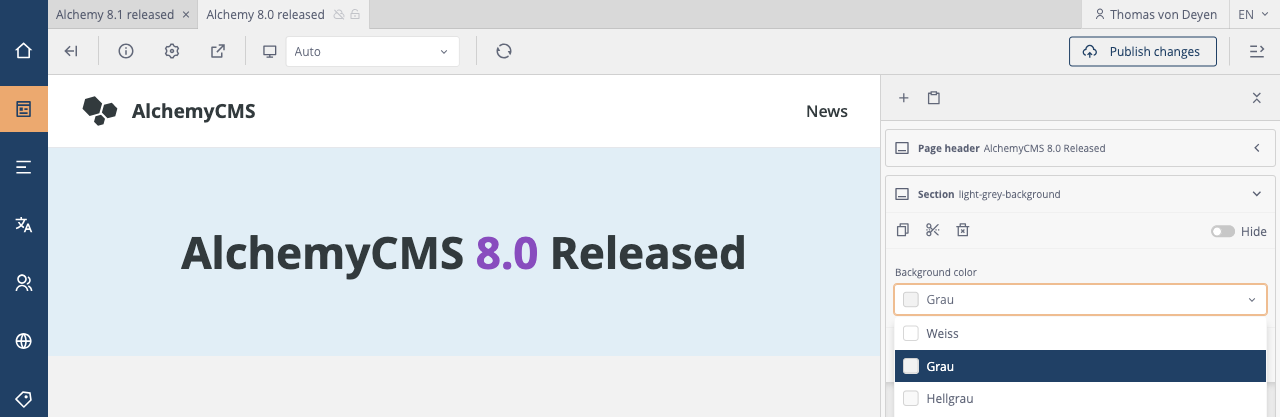
Alchemy 8.1 introduces a native Color ingredient type, perfect for brand colors, theme customization, or any use case where editors need to pick colors. Three configuration formats are supported:
# elements.yml
- name: hero_banner
  ingredients:
    - role: background_color
      type: Color
      settings:
        # Simple color values
        colors:
          - red
          - green
          - blue

    - role: theme_color
      type: Color
      settings:
        # Name/value pairs as arrays
        colors:
          - [Red, "#FF0000"]
          - [Green, "#00FF00"]

    - role: brand_color
      type: Color
      settings:
        # Hash with swatch for semantic color names
        colors:
          - name: Teal
            value: teal
            swatch: "#008080"
          - name: Brand Primary
            value: var(--brand-primary)
            swatch: "#FF5733"
The swatch option allows displaying a preview color in the dropdown that differs from the stored value. Useful when using semantic names like "teal" or CSS variables / Tailwind classes, while still showing the actual color in the UI.
When no colors are configured, editors see a full color picker with text input. You can enable the color picker by adding custom_color: true to the ingredient settings.
Multi-Select Support for Select Ingredient
The Select ingredient now supports multiple selections, making it easy to create tag-like interfaces or multi-option configurations:
- name: article
  ingredients:
    - role: categories
      type: Select
      settings:
        multiple: true
        select_values:
          - Technology
          - Business
          - Design
This feature has been contributed by @antwertinger from 4eBusiness GmbH.
Thanks 🙏
Page Metadata Moved to PageVersion
Page metadata (title, meta_description and meta_keywords) has been moved from the Page model to PageVersion. This means metadata changes are now part of the draft/publish workflow.
Editors can update SEO fields and preview them before going live. The new publish button will reflect when metadata changes are pending publication.
The migration is handled automatically. If you're accessing metadata directly in custom code, the delegation still works:
# Both work (delegation in place)
page.meta_description
page.current_version.meta_description
Foundation for Scheduled Element Publishing
Alchemy 8.1 lays the groundwork for time-based element publishing. Elements now have public_on and public_until timestamp fields that will power scheduled content in a future release.
The backend infrastructure is in place, including ETag-based cache invalidation that considers element publication status. The admin UI for scheduling elements will be coming in a future version.
Server-Rendered Page Tree
The page tree in the admin panel has been completely reworked to use server-side rendering. This architectural change, combined with optimized eager loading, results in significantly faster admin panel performance, especially noticeable on sites with deep page hierarchies.
Clipboard for Menu Nodes
Thanks to a contribution from long time Alchemy user @dbwinger you can now use the clipboard functionality with menu nodes. Making it easier to reorganize complex menu structures by copying and pasting nodes between menus.
Ruby 4.0 and Rails 8.1 Compatibility
Looking ahead, Alchemy 8.1 is tested against Ruby 4.0 and fully supports Rails 8.1. We're committed to staying current with the Ruby and Rails ecosystem.
Breaking Changes
Rails 7.1 is no longer supported. Alchemy 8.1 requires Rails 7.2 or higher.
If you're still on Rails 7.1, please upgrade before updating Alchemy.
Deprecations
The legacy ingredient editor partials are deprecated in favor of the new ViewComponent-based ingredient editor components. The old partials will continue to work but will be removed in a future version. We recommend migrating to the new component-based approach:
module Alchemy
  module Ingredients
    class MyCustomEditor < BaseEditor
      def input_field
        ...
      end
    end
  end
end
Upgrading
The upgrade path is straightforward:
# Gemfile
gem "alchemy_cms", "~> 8.1"
bundle update alchemy_cms
bin/rails alchemy:upgrade
The upgrade task will handle the page metadata migration and any other necessary changes.
Full Changelog
For a complete list of changes, see the full changelog on GitHub.
Thank You
A huge thank you to all contributors who made this release possible.
As always, we welcome your feedback and contributions. If you encounter any issues, please open an issue on GitHub.
Happy publishing!
🧪
Need help upgrading?
We are happy to help you and your team to keep your Alchemy and Rails app up to date.